Hawaii’s Hunter Check Stations
You've just flown into paradise, got your license sorted, and you're buzzing with excitement for your first Hawaii hunt. But then you hear whispers about "hunter check stations" and a unique check-in/check-out system, and suddenly that excitement turns to a knot of confusion. It's not like hunting back home, and it can feel like navigating a maze of unfamiliar rules. Don't worry, my friend. This guide is here to untangle the mystery of Hawaii's hunter check stations, explaining exactly what they are, why they're so important, and how to use them seamlessly so you can focus on the hunt itself.
What Exactly Are Hunter Check Stations in Hawaii?
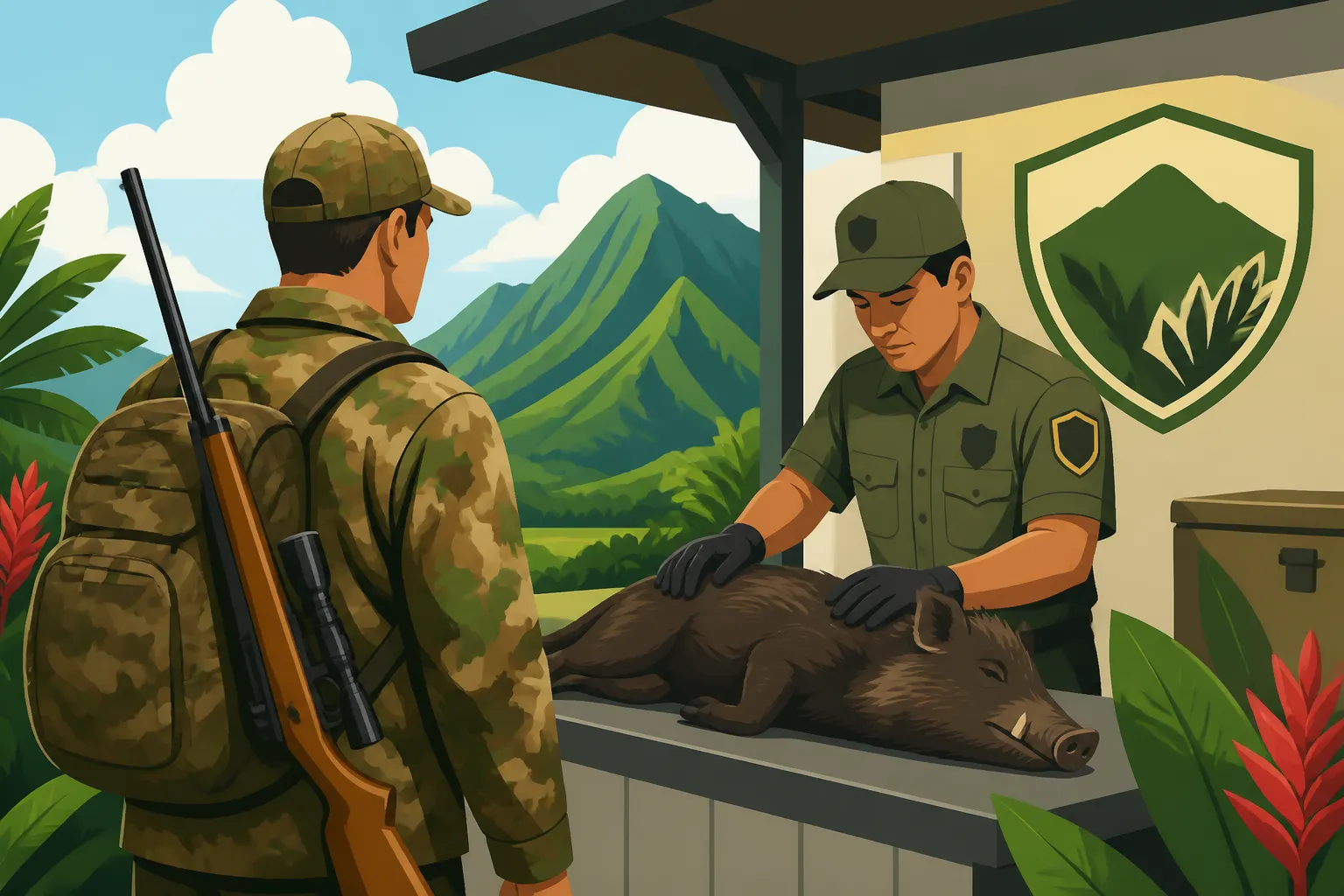
When you hear "check station" in Hawaii, your mind might conjure images of a rustic cabin with a grumpy warden waiting to stamp your papers. And while there are some physical stations, the reality here is often a blend of old-school sign-in sheets and modern digital apps. Essentially, hunter check stations, whether physical or virtual, are the gatekeepers for Hawaii's public hunting units. They are the official points of contact where hunters register their entry into a hunting area before they begin their hunt and, just as crucially, report their exit and any harvest information afterward. It's a system designed for more than just bureaucracy; it's fundamental to how the state manages its unique and often fragile ecosystems and wildlife populations.
Why Hawaii Uses a Check-In/Check-Out System
The reasons behind Hawaii's rigorous check-in and check-out system are deeply rooted in conservation, safety, and data collection. Unlike many mainland states with vast, contiguous public lands, Hawaii's hunting areas are often smaller, more fragmented, and sometimes overlap with sensitive ecological zones or private property. First, it's about conservation and management. By tracking who enters and exits, and what animals are harvested, the Department of Land and Natural Resources (DLNR) can gather crucial data on hunting pressure, success rates, and population trends for species like axis deer, feral pigs, and goats. This data directly influences future season dates, bag limits, and unit management strategies. Without it, managing these unique island game populations would be like flying blind.
Second, there's a significant safety component. Imagine a hunter getting lost or injured in a remote gulch or a dense rainforest unit. If you've checked in, the authorities know you're in that unit, and when you're expected out. If you don't check out, it can trigger an alert, potentially initiating a search and rescue operation. This is especially vital in Hawaii's often rugged, disorienting, and sometimes dangerous terrain. Knowing who is where, and when, helps ensure everyone gets home safely.
Finally, it's about accountability and compliance. It ensures that hunters have valid licenses and permits, and that they are aware of and adhere to the specific rules for that particular unit and season. It’s a mechanism to ensure fair chase, prevent poaching, and promote responsible hunting practices in a place where resources are precious and often under intense scrutiny. This system helps maintain the privilege of public hunting for everyone.
Physical Stations Versus Digital Check-in
Hawaii has been slowly but surely transitioning many of its check-in processes to a more modern, digital format, though some physical stations still exist, especially in more remote areas or for specific drawn hunts. A physical check station might be a simple kiosk with a sign-in sheet, a pencil, and a drop box for your completed forms. You'd fill out your name, license number, entry time, and unit details upon arrival, and then the same information (plus harvest data) upon departure. These often have maps of the unit and sometimes even a brief message from the local wildlife biologist. Think of them as old-school trail registers, but for hunters.
The more common and increasingly dominant method is digital check-in, primarily through a state-sanctioned mobile application. This means you can use your smartphone to check into a unit from virtually anywhere with a signal, often even before you arrive at the physical boundary. This app-based system simplifies the process greatly, allowing you to select your unit, declare your entry, and later report your exit and harvest directly from your phone. It cuts down on paper, makes data collection more efficient for the state, and offers convenience for hunters. While the specific app might change over time, the functionality remains similar: a digital gateway to your hunting adventure. If you're planning a trip, be sure to look into Using the OuterSpatial App to Check In as this is a popular tool for many units.
The Check-In Process: Before You Hit the Field
Okay, so you've got your Hawaii hunting license, maybe a permit-tag for axis deer or mouflon, and you're ready to head out. But before you even lace up your boots at the trailhead, you need to navigate the check-in process. This isn't just a suggestion; it's a mandatory step for most public hunting units in Hawaii, and failing to comply can lead to fines or loss of hunting privileges. Think of it as punching your time card before starting work – you wouldn't get paid otherwise, and you certainly won't be legally hunting here if you skip this step.
Required Information and Documents
Whether you're using a physical sign-in sheet or a digital app, you'll need to have certain information readily available. First and foremost, you'll need your valid Hawaii hunting license. This is your basic pass to hunt anywhere in the state, and it should always be on your person when in the field. Non-residents, make sure you understand the Hawaii Nonresident Hunting License Options and have completed all necessary steps beforehand.
Next, depending on the game species and unit, you might also need specific permit-tags. For example, if you're hunting Axis Deer on Lanai or Mouflon on the Big Island, you'll have gone through a draw system to acquire these tags. These tags have unique numbers and specific harvest reporting requirements. You'll need to reference these during check-in. You'll also need to know the specific hunting unit you intend to hunt. Hawaii's units can be quite detailed, sometimes with multiple units within the same general area, so make sure you've studied your maps. Tools like Using onX for Hawaii Land Status can be incredibly helpful for confirming unit boundaries right there in the field.
Finally, you'll need to record your name, contact information, and the date and time of entry. If you're hunting with a group, each hunter typically needs to check in individually. It might seem like a lot of detail, but it's all part of ensuring accountability and safety in Hawaii's unique hunting environment.
Using Paper Cards Versus Apps
The method of check-in will largely depend on the specific unit you're hunting. Some units, particularly more remote or less frequently hunted areas, might still rely on the old-fashioned paper card system. You'll find a small box or kiosk at the unit entrance with blank cards and a pencil. You'll fill out all the required information, including your intended exit time, and typically keep one copy with you while depositing another in the box. Upon exiting, you'd fill out the exit portion, including any harvest details, and deposit it. This system works, but it's prone to illegible handwriting, lost cards, or missing pencils, which can be frustrating.
However, the trend is heavily towards digital check-in via smartphone apps. This system is far more common for popular units and drawn hunts. After logging into the designated app, you'll select your island and the specific unit you plan to hunt. The app will then prompt you for your license number, permit-tag details (if applicable), and your estimated duration in the unit. The beauty of this system is its convenience: you can do it from your truck, sometimes even from your home before you leave, assuming you have a cell signal. The app automatically timestamps your entry, and it's much harder to "forget" your information or lose your "card." This also makes it much easier for the state to process data quickly. I've often used these apps while still on the main road, making sure everything is logged before I even hit the dirt track leading to the unit. Just remember, these apps require a signal for initial check-in and final check-out, so plan accordingly if your hunting area is in a cellular dead zone.
Common Mistakes at Check-In
Believe me, I've seen (and perhaps made a few myself) all sorts of mistakes when it comes to checking in. The most common one is simply forgetting to check in at all. It's easy to get caught up in the excitement of the moment, especially if you've been driving for hours to reach a remote trailhead. But forgetting can land you in hot water. Always make it the first thing you do once you arrive at or near the unit boundary.
Another frequent error is checking into the wrong unit. Hawaii has many units, sometimes with similar names or in close proximity. Double-check your map and the unit number. An app like onX Hunt can overlay unit boundaries on your GPS, making this much easier. You don't want to accidentally be hunting in Unit 1 when your permit is for Unit 2. Then there's incomplete information. Rushing through the process or having illegible handwriting on a paper card can render your check-in invalid. Take your time, fill out every field accurately, and if using an app, confirm all details before hitting "submit."
Finally, for those using digital apps, a common pitfall is relying on cell service where there isn't any. If you know your hunting area is a notorious dead zone, check in before you lose service. Many apps allow you to do this from a nearby area with connectivity. Don't drive all the way to the unit entrance only to find you can't check in digitally and there's no paper alternative. Planning ahead is key to a smooth start to your hunt.
The Check-Out Process: After Your Hunt
Just as crucial as checking in is checking out. Many hunters, especially new arrivals to Hawaii's system, view checking out as an afterthought, if they think of it at all. But it's not just a formality; it's the completion of your hunting activity cycle and vital for both resource management and your own legal standing. Don't be that person who "forgets" – it can have real consequences.
Why Checking Out Is Crucial
Checking out serves several important purposes that benefit both the individual hunter and the broader conservation efforts in Hawaii. First, it's about safety verification. Remember that safety component we talked about earlier? Your check-out signals to the DLNR that you've safely exited the unit. If you don't check out, and your estimated exit time has passed, it could trigger concern. While they might not send out the cavalry immediately, a pattern of un-checked-out hunters could lead to unnecessary worry or even a search if a specific incident is reported. It’s a simple courtesy and safety measure that protects you.
Second, it's fundamental for data collection and wildlife management. This is where the state gathers critical information on harvest success. By reporting what, if anything, you harvested, you contribute directly to the knowledge base that informs future hunting regulations. Did you see a lot of pigs but couldn't get one? That's still valuable data. Did you harvest a big axis buck? That's even more valuable. This data helps biologists understand animal populations, monitor trends, and make informed decisions about bag limits, season lengths, and unit accessibility. Without accurate check-out data, the state struggles to manage its game effectively, potentially leading to less optimal hunting opportunities for everyone in the long run.
Third, it's a legal requirement. Failing to check out of a unit when required is a violation of state hunting regulations. It's often bundled with other compliance measures, and repeated or egregious failures could result in fines, future permit denials, or even revocation of your hunting privileges. It's a small step that prevents bigger headaches.
Reporting Harvest Data
When you check out, whether via paper card or app, you'll be asked to report your harvest. This isn't just a yes/no question. You'll need to provide details about what you harvested, if anything. This typically includes:
- Species: Axis deer, feral pig, goat, mouflon, or a specific game bird.
- Sex: Buck/doe, boar/sow, billy/nanny, ram/ewe.
- Age Class (sometimes): Adult or juvenile.
- Weight (estimated): Especially for pigs and deer, an estimation is often requested.
- Antler/Horn Metrics (for trophy animals): Number of points for deer, horn length/curl for sheep/goats.
- Tag Number: If you used a specific permit-tag for the animal, you'll need to reference its number.
This data is crucial. For example, knowing the number of axis deer bucks versus does harvested helps biologists assess herd health and breeding success. The estimated weight provides insight into the condition of animals in a particular unit. For special hunts, like those for Mouflon Sheep, detailed horn measurements contribute to understanding the trophy potential and age structure of the population. Don't just guess wildly; try to be as accurate as possible. Even if you didn't harvest anything, reporting "no harvest" is still important data, as it indicates hunter effort without success, which can also inform management decisions. Remember, Tagging an Animal Correctly in Hawaii is part of this process, ensuring your harvest is legally accounted for.
What Happens If You Forget to Check Out
Forgetting to check out can be an honest mistake, especially after a long, grueling hunt, or if you lose cell service on your way out of the unit. But it's still a violation. If you realize you've forgotten, the best course of action is to rectify it as soon as possible. If it's a digital system, try to check out from the first place you regain signal. If it was a paper card, contact the local DLNR/DOFAW office as soon as you can to explain the situation and provide your harvest details. Honesty and prompt action are usually your best defense.
However, if you consistently fail to check out, or if it's discovered during an inspection that you never checked in or out, the consequences can range from a verbal warning to a citation and fine. The exact penalty can vary depending on the severity and frequency of the violation, and the discretion of the enforcement officer. Repeated failures can flag you as a non-compliant hunter, potentially impacting your ability to draw future permits or even leading to a temporary suspension of hunting privileges. Think of it this way: the system relies on the honor and cooperation of hunters. When that trust is broken, there are repercussions. So, make checking out just as ingrained a habit as checking in. It's a small task that safeguards your future hunting opportunities and helps conserve Hawaii's unique wildlife.
Finding and Utilizing Hawaii's Check Stations
Navigating Hawaii's hunting units often requires a good sense of direction, a reliable map, and a clear understanding of where and how to check in. It's not always as straightforward as a big sign at the entrance, especially with the mix of physical and digital options available.
Physical Station Locations and Types
While many units have shifted to digital check-in, some still maintain physical check stations, particularly in remote areas or for certain designated hunts. These can vary significantly in appearance:
- Kiosks with Sign-in Boxes: These are typically sturdy wooden or metal structures found at the main entrance points to a hunting unit. They'll contain blank paper check-in/check-out forms, a pen or pencil (though it's always wise to bring your own!), and a secure drop box for completed forms. Sometimes they'll have a map of the unit or important notices.
- Designated Ranger Stations or Offices: For some larger or more popular units, particularly those associated with specific management areas, the check-in might be at a manned ranger station during business hours. This is less common for daily check-ins but might apply for special permit pickups or pre-hunt briefings.
- Trailhead Markers: In very remote or undeveloped areas, a "check station" might be little more than a post with a sign indicating the unit boundary and instructions to check in digitally, or a small, simple box to leave a paper slip.
To find these physical stations, your best bet is to consult the official DOFAW (Division of Forestry and Wildlife) unit maps for the specific island and unit you plan to hunt. These maps usually indicate entry points and any physical check station locations. Local knowledge is also invaluable, so if you know a local hunter, ask them about the best places to access and check into a particular unit. You can often find general locations through resources like Finding a Hawaii Hunter Check Station.
Digital Check-In Zones and Signal Considerations
The widespread adoption of digital check-in means that, technically, the "check-in zone" is anywhere you have cell service. However, this is where the Hawaiian terrain often throws a curveball. Many of Hawaii's prime hunting areas are in deep gulches, behind ridgelines, or within dense forest reserves – all places notorious for spotty or non-existent cell service.
This means you need to be strategic. Don't assume you'll have a signal at the exact trailhead you plan to use. Often, you'll need to check in from a higher elevation point, a nearby town, or even before you leave home. The key is to do it before you enter the dead zone. Most digital check-in apps will allow you to select your unit and indicate your anticipated entry time even if you're not physically at the boundary yet. Just be accurate with your estimated entry time.
When planning your hunt, use a mapping app like onX Hunt (a great contextual brand for this!) which often includes a cell service coverage map feature. This can help you identify potential "digital check-in zones" where you're likely to have a signal, even if it's a few miles away from your actual hunting spot. It's far better to check in from the main highway and then drive ten minutes to your trailhead than to arrive at your trailhead and realize you're stranded without a check-in option.
Tips for First-Timers
For your first time navigating Hawaii's check stations, it can feel a bit overwhelming, but a few pointers can make it smoother:
- Do Your Homework: Before you even leave home, identify your specific hunting unit, understand its boundaries (using maps and potentially onX Hunt), and know whether it primarily uses a physical or digital check-in system. Check the DOFAW website for any recent rule changes or unit closures.
- Download the App Early: If digital check-in is required, download the designated app (e.g., the state's official hunting app, which is often OuterSpatial) to your smartphone well in advance. Create an account, link your hunting license, and familiarize yourself with its interface. Don't wait until the morning of your hunt!
- Charge Your Phone (and Bring a Power Bank): For digital check-ins, a dead phone means no check-in. This is a critical piece of gear now.
- Screenshot Confirmation: After a digital check-in, take a screenshot of your confirmation screen. This serves as proof in case of any technical glitches or questions from a warden in the field.
- Bring Backup: Always carry a pen and paper. If you encounter a physical check station and the pencil is gone, or if your phone dies and you find a paper option, you'll be prepared.
- Read the Signage: Whether physical or digital, always take a moment to read any posted signs or in-app alerts. There might be last-minute changes, special instructions, or unit-specific rules you need to know.
- Over-Communicate with Companions: If you're hunting with a group, ensure everyone understands the check-in/check-out process and has completed it. Don't assume someone else handled it.
By following these tips, you'll ensure your check-in and check-out process is a smooth, stress-free part of your Hawaiian hunting adventure, rather than a frustrating obstacle.
Specific Island Variations and Rules
While the general principles of Hawaii's hunter check stations apply across the archipelago, there are nuanced differences from island to island and even between specific hunting units. These variations often reflect the unique ecological pressures, game populations, and administrative structures of each area. It's another reason why "know before you go" is such a crucial mantra for hunting in Hawaii.
How Check-In Might Differ by Island
Each major island open to hunting—Hawaii Island (Big Island), Maui, Molokai, Lanai, Oahu, and Kauai—has its own set of public hunting units, and consequently, its own specific check-in requirements that can sometimes vary.
- Hawaii Island: As the largest island with the most varied terrain and numerous hunting units, you'll find a mix of systems here. High-elevation units like those on Mauna Kea for mouflon sheep might have more stringent, often drawn-hunt-specific check-in points that could involve a physical check station or an in-person briefing before going afield. Lower elevation pig and goat units might rely heavily on the digital app, especially if they are frequently accessed. The sheer size of the island means some very remote areas might still use paper sign-in boxes if cell service is non-existent.
- Maui, Molokai, and Lanai (Maui Nui): These islands are home to the vast majority of Hawaii's axis deer population. The check-in process, especially for these popular deer hunts, is often highly managed. For instance, on Lanai, which is famous for its axis deer draw, the check-in for successful applicants is usually a very specific process, often involving dedicated weekends and clear instructions from the state. You can learn more about this by researching When Lanai's Axis Deer Rifle Season Runs. For year-round pig and goat units on Maui or Molokai, digital app check-in is usually the norm.
- Oahu: With a higher population density and more limited public hunting land, Oahu's units are often managed with strict entry and exit protocols. Digital check-in is heavily utilized for most of its pig and goat hunting areas, helping to manage hunter density and collect data efficiently.
- Kauai: Home to the state's black-tailed deer population, Kauai's hunting units often have specific check-in procedures tied to their limited seasons. Again, digital check-in is common for its public lands, but always verify the exact requirements for your chosen unit and species before heading out. Kauai Black-Tailed Deer Season Dates would specify the pertinent check-in information for those hunts.
The key takeaway is that you should never assume the check-in process on one island or for one type of game will be identical to another. Always consult the official DOFAW website and unit-specific regulations for the most up-to-date information before each hunt.
Units That Require Check-In Versus Those That Don't
While it's generally safe to assume that any public hunting unit in Hawaii will require some form of check-in and check-out, there are a few nuances. The most stringent check-in requirements are typically for:
- Drawn Hunts: If you've been successful in a lottery for a specific game animal (like axis deer or mouflon), the check-in process will be clearly outlined in your permit package. This often involves specific dates, locations, and methods of checking in that go beyond a simple app click.
- Game Management Areas (GMAs) and Forest Reserves (FRs): The majority of designated public hunting units, whether GMAs or FRs, fall under the mandatory check-in/check-out system. These are areas where game populations are actively managed, and hunter data is critical.
However, there can be some exceptions or less formal requirements for:
- Year-Round Feral Pig and Goat Units: Some units, particularly those open year-round for feral pigs and goats (which are often considered invasive species that the state encourages hunters to remove), might have slightly relaxed check-in requirements compared to managed deer or sheep hunts. While many still require digital check-in, the specific details or stringency might differ. It's rare for no check-in to be required, but the method might be simplified.
- Private Land Hunts: If you're hunting on private ranch land with an outfitter or landowner permission, the state's public land check-in system doesn't apply. However, the private landowner or outfitter will have their own rules for tracking hunters for safety and liability, so you'll still "check in" with them. Getting Onto Molokai Private Land or Hawaii Private Ranch Hunting Access would cover these scenarios.
The golden rule remains: always confirm the specific check-in requirements for the exact unit and season you plan to hunt. Don't rely on general knowledge. A quick look at the DOFAW website or the hunting unit's specific regulations will clear up any doubts.
Beyond Check-In: Other Hunter Responsibilities and Resources
Navigating the check-in and check-out stations is just one piece of the puzzle for responsible hunting in Hawaii. There's a whole world of other responsibilities and resources that contribute to a safe, legal, and ultimately successful hunt in these unique islands. Thinking beyond just the transactional aspects of entry and exit will make you a more prepared and respected hunter.
License and Tag Display and Field Compliance
Once you've checked into your unit, your responsibilities don't end. You must always carry your valid Hawaii hunting license on your person while in the field. This isn't just a suggestion; it's a legal requirement. An enforcement officer, known here as a DOCARE (Division of Conservation and Resources Enforcement) officer, can ask to see your license at any time. Think of it as your hunting ID card.
If you've harvested an animal that requires a permit-tag (like an axis deer or mouflon sheep), you must immediately and properly attach that tag to the animal's carcass as soon as it's harvested. This typically means affixing it securely to a leg or antler, as specified in the regulations. The tag usually needs to remain attached until the animal is processed or reaches its final destination. Failure to tag an animal correctly is a serious violation. Understanding Tagging an Animal Correctly in Hawaii is paramount here.
Beyond licenses and tags, general compliance with all hunting regulations is non-negotiable. This includes:
- Weapon Rules: Ensuring you're using legal weapons for the season and species. For example, Hawaii's Legal Rifle Calibers for Big Game are specific.
- Bag Limits: Adhering to the number of animals you're allowed to harvest. Hawaii Axis Deer Bag Limits are different from Hawaii Bag Limits for Feral Pigs.
- Season Dates: Hunting only during the open seasons for your chosen species and unit.
- Unit Boundaries: Staying within the designated hunting unit boundaries. This is where a GPS app like onX Hunt becomes invaluable.
- Safety Rules: Including any blaze orange requirements or firearm safety protocols.
DOCARE officers are often patrolling units, and they are there to ensure everyone is hunting legally and safely. Cooperation with them is always the best approach.
Staying Informed About Unit Changes and Closures
Hawaii's hunting landscape is dynamic. Unit boundaries can shift, seasons can be adjusted, and units can close, sometimes with short notice. This isn't due to arbitrary decisions but often in response to conservation needs, weather events (like droughts or heavy rains affecting access), or community concerns. Relying on old information is a recipe for disappointment, or worse, a citation.
The primary source for current information is the Department of Land and Natural Resources (DLNR) Division of Forestry and Wildlife (DOFAW) website. They regularly post Public Hunting Announcements (PHAs), which detail season openings, closures, rule changes, and lottery results. It's a good habit to check this site frequently, especially in the weeks leading up to your planned hunt. Subscribing to their email newsletters or following their official social media channels (if available) can also provide timely updates.
Additionally, pay attention to signage at physical check stations or alerts within your digital check-in app. These often provide immediate, on-the-ground information relevant to that specific unit. Don't just check in and scroll past; read those messages! Ignoring these updates could mean showing up to a closed unit or hunting out of season, which is a frustrating and avoidable mistake.
Leveraging Tools Like onX Hunt and GoHunt for Planning
In the modern age, hunters have incredible digital tools at their fingertips, and in Hawaii, these can be absolute game-changers for navigating the complexities of public land hunting.
onX Hunt is a premier mapping application that has become an essential tool for many hunters. For Hawaii, its utility is immense:
- Public/Private Land Ownership: This is critical. Hawaii's patchwork of public and private land can be confusing. onX Hunt clearly delineates property boundaries, so you know exactly where you stand and, more importantly, where you can't go without permission. This helps avoid trespass issues. Reading a Hawaii Unit Boundary Map becomes much clearer with this tool.
- Hunting Unit Overlays: onX often includes overlays of Hawaii's official public hunting unit boundaries. This is a lifesaver for ensuring you're in the correct unit for your license and tags, especially when boundaries aren't clearly marked on the ground.
- Offline Maps: Crucial in Hawaii's many cellular dead zones. Download the maps for your hunting area beforehand, and you'll have full GPS functionality even without a signal.
- Waypoints and Tracking: Mark your truck, trails, water sources, or game sign. Track your path to ensure you don't get lost in dense vegetation.
Another invaluable resource, particularly for licensing and permits, is GoHunt. While primarily known for its western states draw services, GoHunt also provides valuable insights and resources for applying for hunting licenses and understanding regulations in various states, including Hawaii. Utilizing platforms like Buying a License Through Go Hunt Hawaii can streamline the process of acquiring your necessary permits and staying informed about application deadlines.
By combining the official DOFAW resources with modern mapping and information tools, you'll not only stay compliant with Hawaii's unique check station system but also enhance your safety, efficiency, and overall enjoyment of hunting in these extraordinary islands.
| Aspect | Physical Check Station | Digital Check-In App (e.g., OuterSpatial) |
|---|---|---|
| Location | Kiosk at unit entrance/trailhead, Ranger station | Anywhere with cell service; ideally before dead zones |
| Required Info | License #, Name, Unit, Entry/Exit Time, Harvest Details | License #, Name, Unit, Entry/Exit Time, Harvest Details |
| Medium | Paper card, pen/pencil | Smartphone app, internet/cellular data |
| Proof of Check-in | Half of paper card, written entry on log | Digital confirmation screen, timestamped record |
| Cell Service | Not required (but useful for current info) | Required for initial check-in/final check-out |
| Common Issues | Lost cards, illegible writing, no pen, full drop box | No cell signal, dead phone battery, app glitches |
| Benefits | Simple, no tech needed, often has maps | Convenient, efficient data, immediate confirmation |
| Drawbacks | Can be vandalized, less reliable data, limited hours | Relies on tech, signal dependence, battery drain |
Disclaimer
This article is for general informational purposes only and does not constitute professional advice. Laws, prices and regulations vary by location and change over time. Consult a qualified professional for guidance on your specific situation.